Ponder for iOS
Write, capture, record.
Ponder is an app for those people who want to bring the joy of physical notebooks to their iPhone and iPad. It's beautiful, private, customizable, and built for you. Instead of a blank page, Ponder gives you building blocks such as text, photos, quotes, checklists, voice memos, sketches, and more.If journaling is like running, Ponder is a nice relaxing walk. It's a joyful and creative way to create notes and document your day.

A place for you to write, capture, and record.
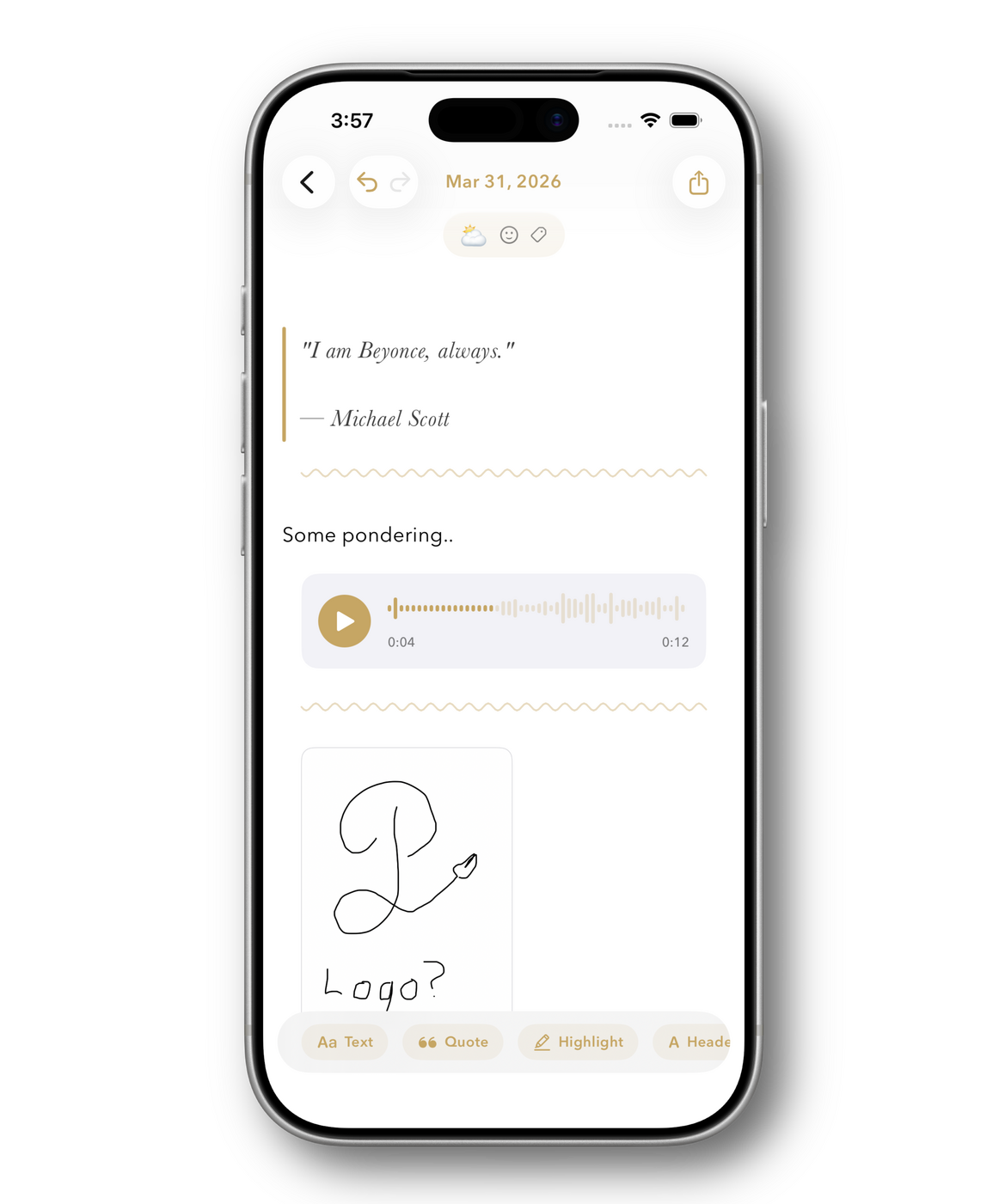
Capture thoughts your way. Text, photos, voice memos, sketches, and more. Ponder's block-based editor makes every note uniquely yours.
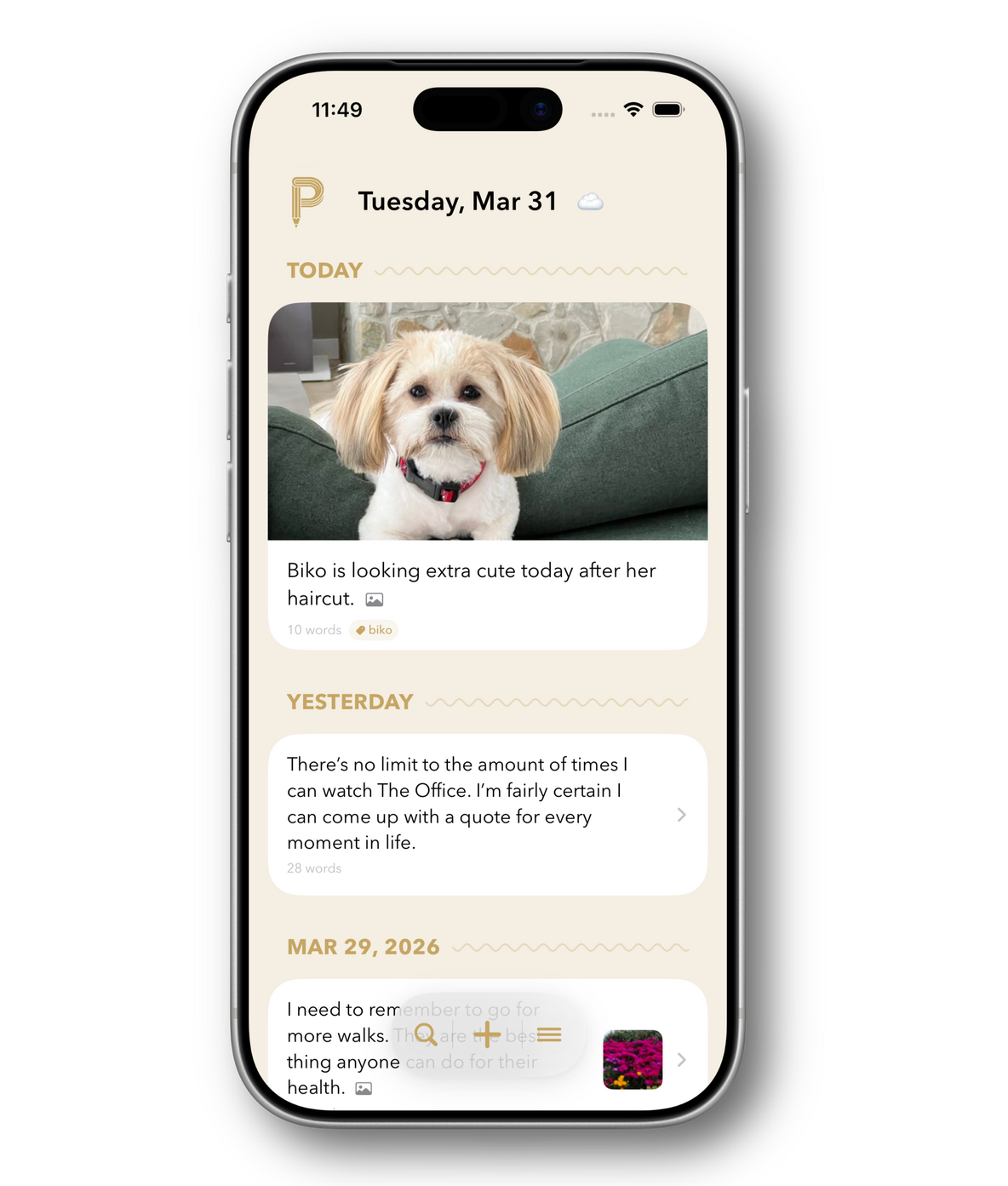
Customize the design, just for you.
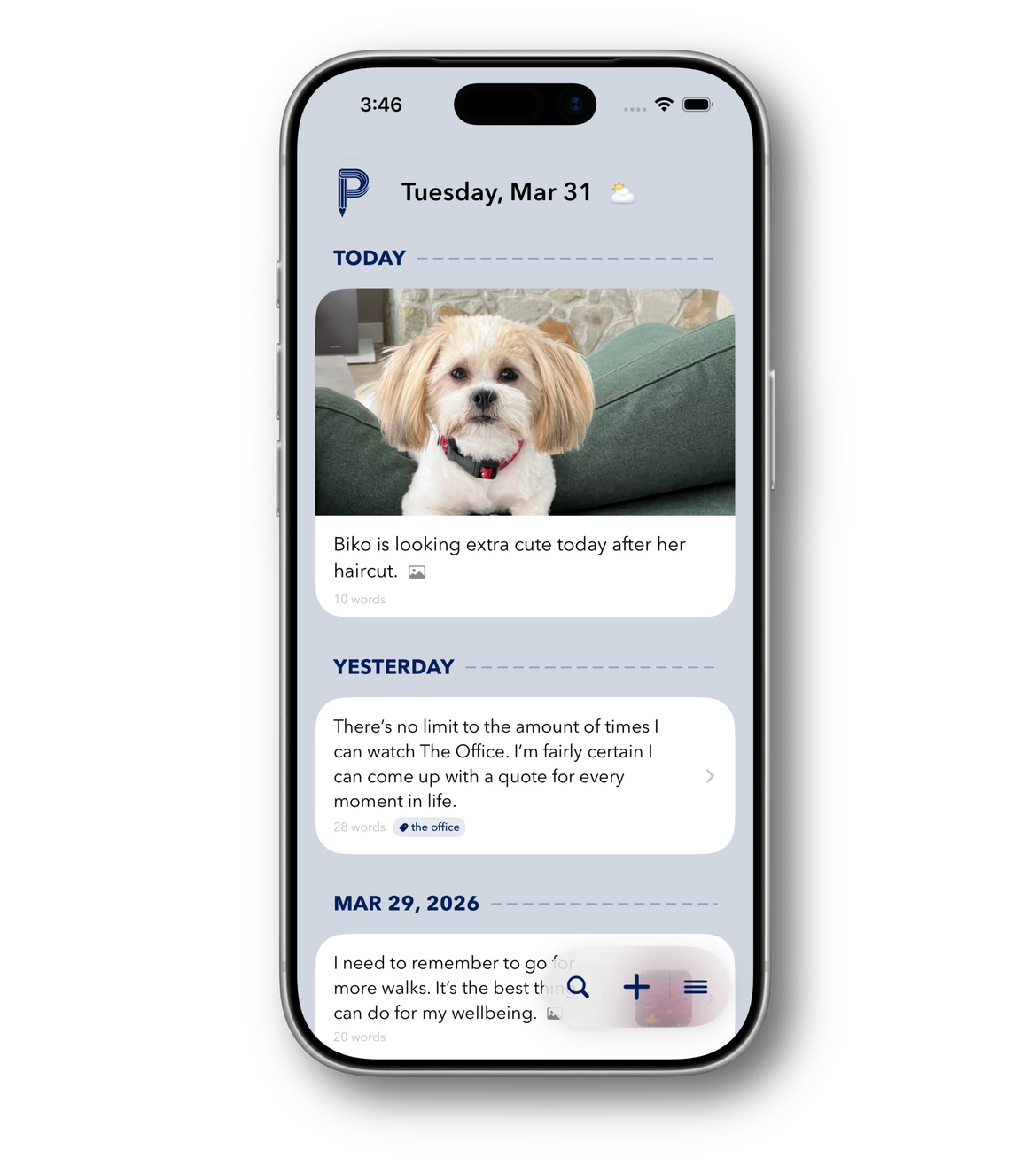
Choose from five curated accent colors or create your own. Customize the app to be as unique as the entries you put in it.
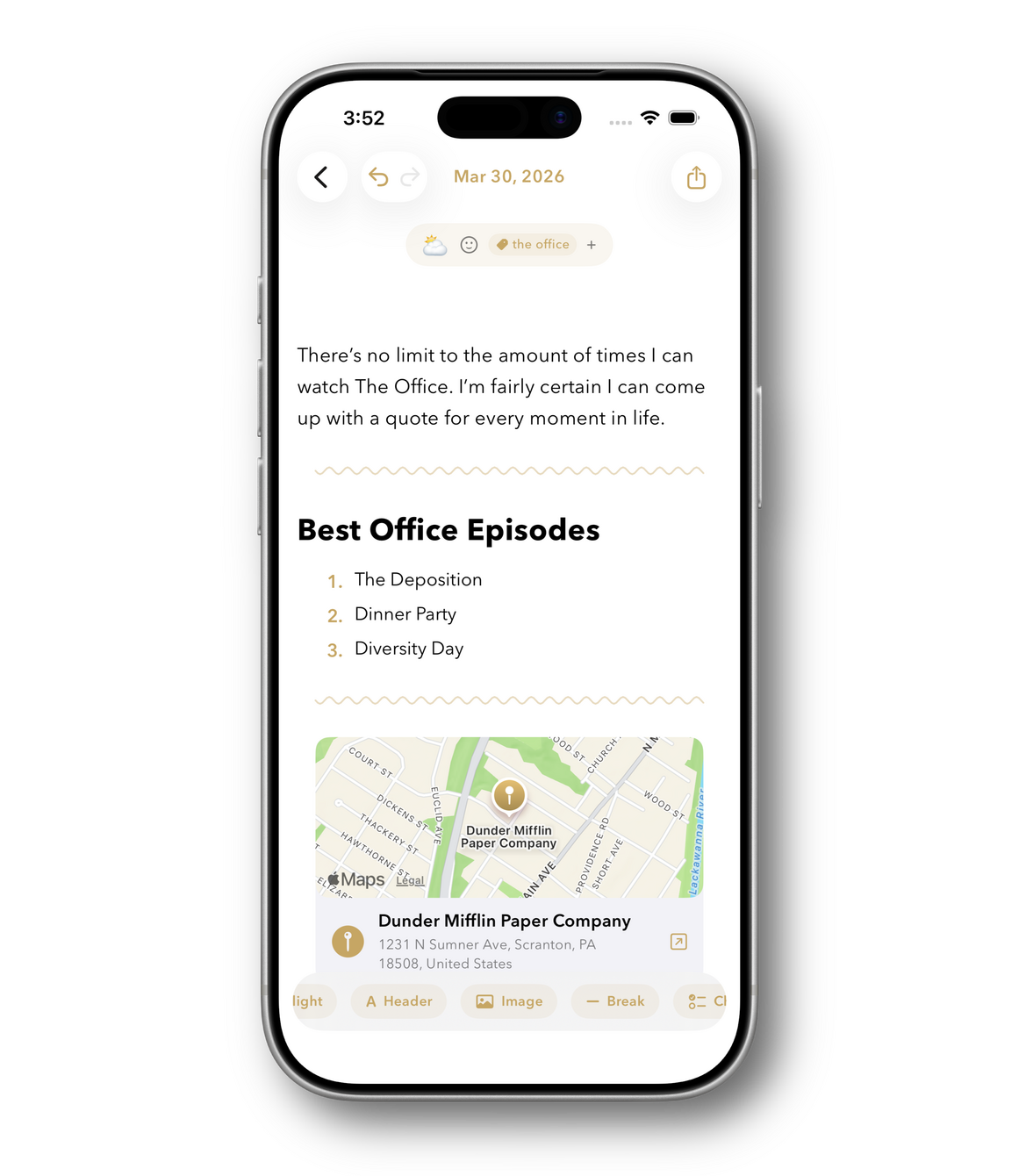
Create beautiful entries with a unique block editor.
With Ponder you can write down a brief thought, add a photo from your morning walk, a quote that stuck with you throughout the day, a checklist for tomorrow, or a voice memo when words aren't enough. Ponder's 20+ block types let you capture life the way you experience it.
Private. Secure. In sync.
Secure your entries with Face ID, sync them with iCloud. All entries are encrypted and available to no one but you.
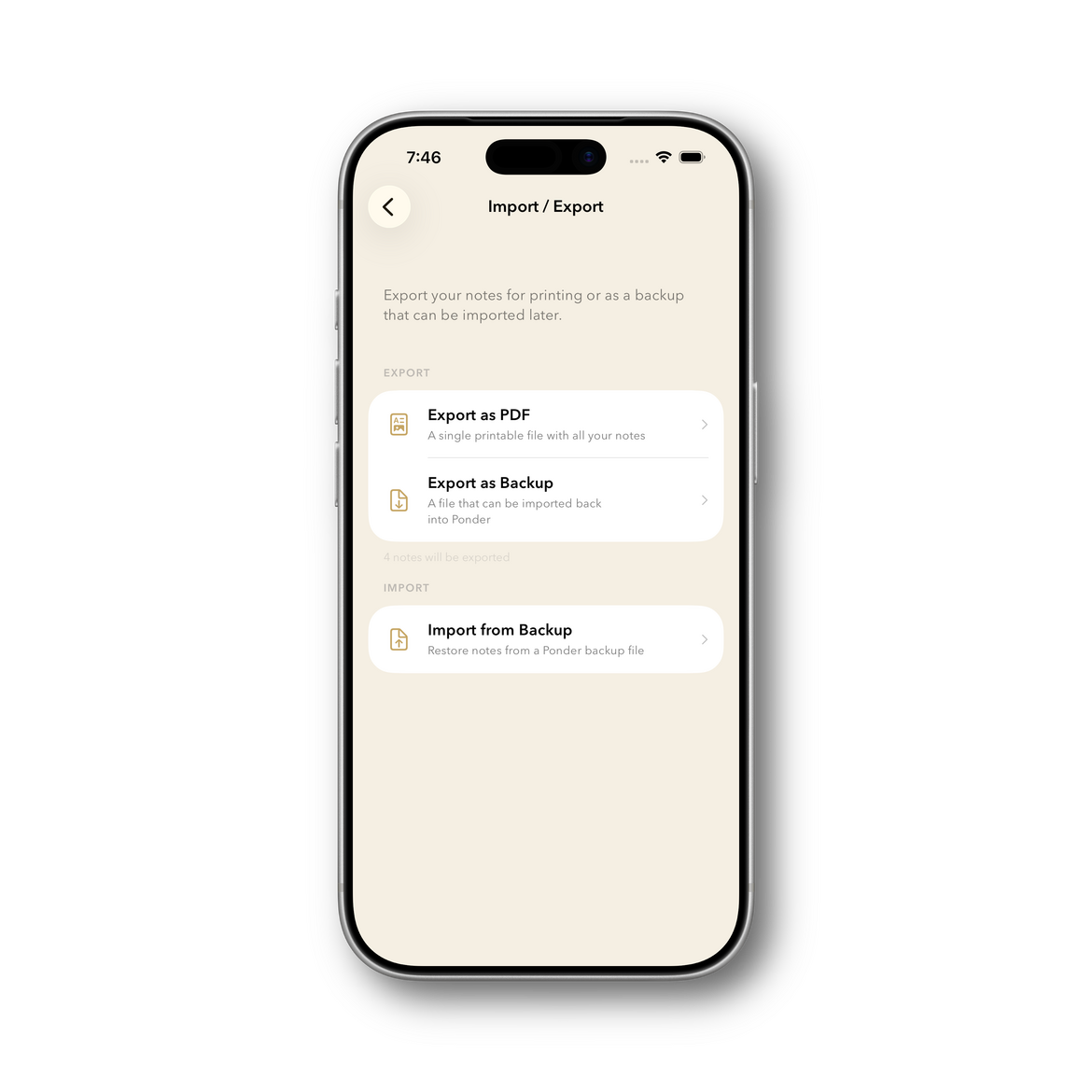
Your entries, forever yours.
Export a single note, or all of them. Your entries belong to you, as they should.
PRIVACY POLICY
Ponder Privacy Policy
Last updated: March 2026Ponder is designed with privacy as a core principle.DATA STORAGE
All notes and data are stored locally on your device by default. Your content
is encrypted using AES-256 (AES-GCM) encryption with a key stored in the iOS
Keychain. We have no servers, no accounts, and no way to access your data.ICLOUD SYNC (OPTIONAL)
If you enable iCloud Sync, your encrypted notes are
synced via Apple's CloudKit service to your personal iCloud account. This
allows your notes to appear across your Apple devices signed into the same
Apple ID. Your data is stored in your private iCloud container — only you can
access it. Ponder's encryption key is synced via iCloud Keychain so your notes
remain encrypted in transit and at rest. We do not operate any servers and
have no access to your iCloud data. You can disable iCloud Sync at any time
in Settings, and your notes will remain stored locally on your device.DATA COLLECTION
Ponder does not collect, transmit, or share any personal data. We do not use
analytics, crash reporting services, or advertising frameworks.LOCATION DATA
Ponder uses your device's location (when you grant permission) for two
purposes: (1) to fetch weather information from Open-Meteo, a free and
open-source weather API, and (2) to add location blocks to your notes with
a map snapshot. Only approximate coordinates are sent to Open-Meteo for
weather requests. Location data stored in your notes remains on-device (or
in your private iCloud container if sync is enabled). No identifying
information is transmitted, and Open-Meteo does not track users.THIRD PARTIES
Ponder does not include any third-party SDKs, analytics tools, or advertising
frameworks. The only external services used are:
- Open-Meteo (open-source weather API, no API key, no tracking)
- Apple CloudKit (only when iCloud Sync is enabled by the user)CHILDREN'S PRIVACY
Ponder does not knowingly collect data from children under 13. Since we collect
no data from any user, this is inherently satisfied.CHANGES TO THIS POLICY
Get Support
Reach out to us via the form below:
Changelog
V1.12 - Ponder 1.12 UpdateThis is possibly the biggest 1.12 update you’ve ever seen (maybe).In this update, we’ve added 3 new block types. THREE!NEW RATINGS BLOCK!Just watched your new favourite movie? Or finished a book you couldn’t put down? Rate it with the new RATINGS block. We’ve added support for rating Movies, TV Shows, and Books. Plus, we’ve added a custom category so you can rate anything you like (like Lola’s famous crêpes).NEW VIDEO BLOCK!We know we’re not the only one who wanted to add videos to my notes in Ponder. With the new VIDEO block, now you can!NEW BULLETED LIST BLOCK!The checklist block was cool and all, but sometimes you need to make a bulleted list. If this describes you, you’re going to love the new BULLETED LIST block.Three new blocks is pretty rad, but we didn’t stop there..NEW MASONRY LIST DISPLAY MODEWe’ve added a fourth way to view your notes called the MASONRY view. It allows you view all your notes in a beautiful tiled layout. If you love adding photos to your notes, we think you’re going to love this view.NEW MERGE NOTES FEATUREWhile viewing a note, tap on the (i) icon in the top right and you’ll now see an option to merge notes together. This allows you to easily combine two notes into one note, just like magic.NEW ARRANGE BLOCKS MODEAlso available by tapping the (i) icon in the top right of your notes, you’ll now see the ability to enable ARRANGE BLOCKS MODE which makes it super easy to reorder blocks inside of a note. This is helpful for those of you with reaaaaalllyyy long notes (you know who you are).PONDER 1.13 also includes other changes like:- We’ve renamed the “Highlighted” notes section to “Pinned”. We figured this will be less confusing since there’s also a highlight block (no relation)
- We improved the speed of which the Linked Notes block loads. Same with the Voice Memos block
- And random other improvements and fixes!
V1.11 - Speed Update- Fixed several causes for hitches while typing
- Overall performance boost while editing notes
- Improved the speed of the voice memos block appearing within a note
- Filtering notes should be a tad faster now
- Oh, we almost forgot! We added 4 new fonts for you to choose from
V1.1 - Ponder 1.1 UpdateWe’re introducing multiple new features with Ponder 1.1 and several minor improvements.NEW INTRODUCING COMMONPLACENext time you load up Ponder, you’ll be greeted with COMMONPLACE, a space for you to make your own. This feature was inspired by all the ways in which people customize their physical notebooks. Add vintage-style photos, sticky notes, and even stickers.SPEAKING OF STICKERS..We’ve introduced over 10 unique stickers to customize your space with. While many are available for you to use right away, more will unlock as you write notes with Ponder. There’s even a special sticker for the OG users of Ponder. Collect them all!PS: You can even submit your own sticker and to be potentially included in a future update to Ponder.NEW INTRODUCING THE UNIFIED CHECKLISTChecklists are a crucial part of Ponder, but we heard from our users that they’d like a place to see all their checklist items at once. That’s why we built the “Unified Checklist”. Optionally enabled in Settings (under Other), the Unified Checklist shows up right next to the weather in your list view. So handy!The best part? You can optionally sync all the checklists with the Unified Checklist. Add a new item in a checklist block? It will sync over to the Unified Checklist. Complete an item from the Unified Checklist? It will sync over to the original note as well.NEW CALENDAR BLOCK!With Ponder 1.1, we’ve introduced a new block you can use within your notes. The Calendar block allows you to pull an event from your calendar and add it to a note. Perfect for remembering important events.NEW ALTERNATE FONT SUPPORTFont selection is a wonderful way to customize your notes and Ponder 1.1 now supports 5 different styles. You can switch the font style for your notes within the “Notes Editor” settings.NEW AUTO-TAGGING OF NOTESWe’ve added a new way to easily add tags to your notes. Simply put a hashtag in front of a word in your note and that tag will be automatically added. #seamlessNEW MORE WAYS TO CUSTOMIZE LIST VIEWWe’ve added two new ways to customize the list view of your notes, including:- New menu bar style (try it, we think it’s great)
- Multiple list view styles (original, expanded, and condensed)Both of these are available in the Settings, under List View.PONDER 1.1 INCLUDES MANY OTHER IMPROVEMENTS SUCH AS:- Completely reorganized the Settings page
- Added ability to indent checklist items by swiping right on the item
- Added prompt to notify users about iCloud Sync
- Added “Last Sync” time to iCloud setting
- Added message when enabling iCloud sync
- Added support for VoiceOver
- Improved onboarding experience
- Fixed rare spacing issue on the checklist block
- Various speed improvements
V1.02 - General Fixes and Improvements- Fixed an issue where the black pen/pencil wasn't working in the sketch block
- Fixed a rare issue where failed encryption would prevent a note from showing
- Fixed an issue where the Summary page would update too often
- Fixed the app icon
- Improved the speed of searching through notes
- Implemented several other speed improvements throughout the app
V1.01 - General Fixes and Improvements- Added icon to indicate when Ponder is syncing to iCloud
- Added placeholder text to note preview which indicates if note is empty
- Fixes issue where notes may be erased if encryption fails
- Fixes issue with filter view not showing all appropriate blocks
- Taking a photo with Ponder now saves the image to the camera roll
- Removed the need to restart Ponder after enabling iCloud sync
- Few improvements to legibility when using dark mode
- Random other fixes
V1.0 - General Release 🎉